03Operational modernizationAuto Wares, contract · Feb 2024 – Aug 2025
CounterWorks
Modernizing a mature inventory and point-of-sale system without disrupting established customer operations.
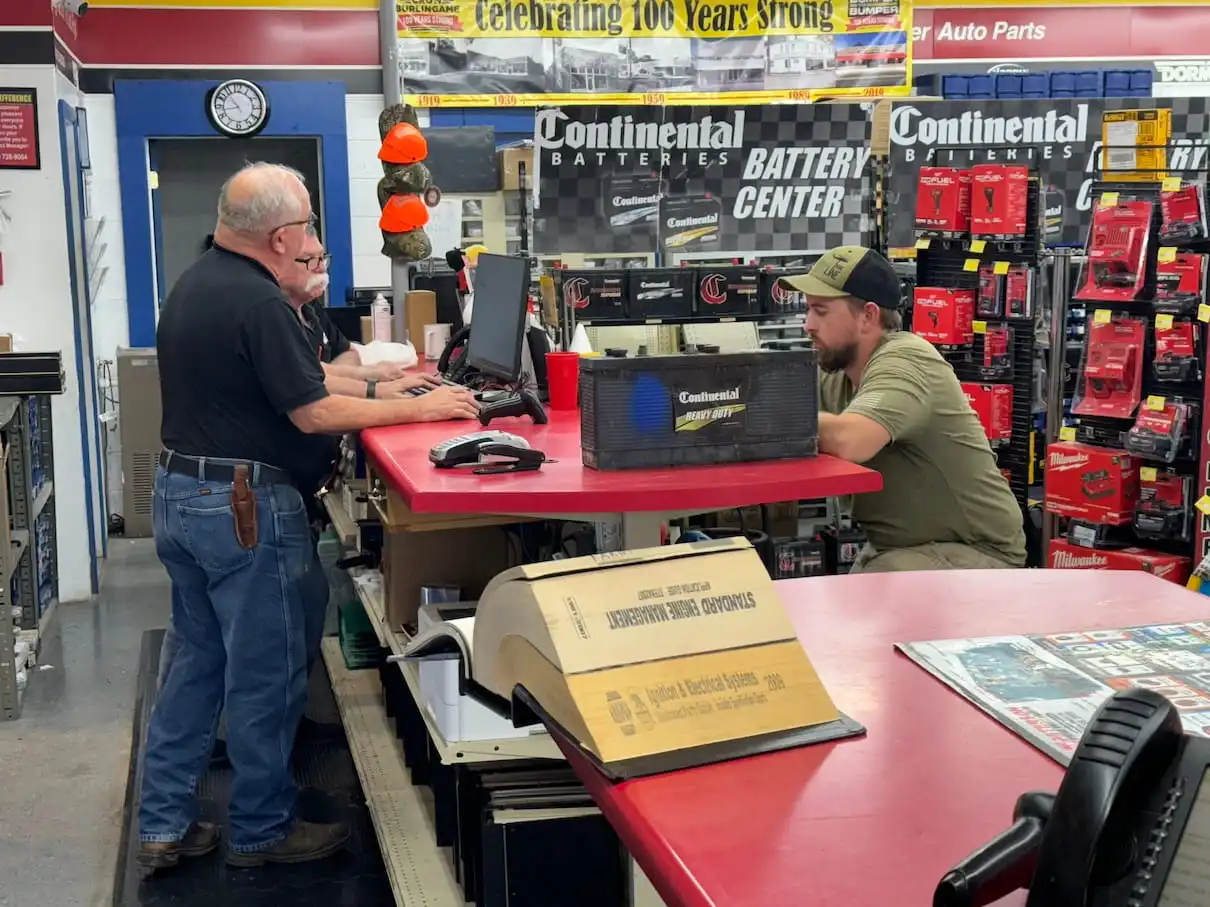
“I have 5 windows open; which customer was in this window?”
 , enlarge to full resolution
- Problem
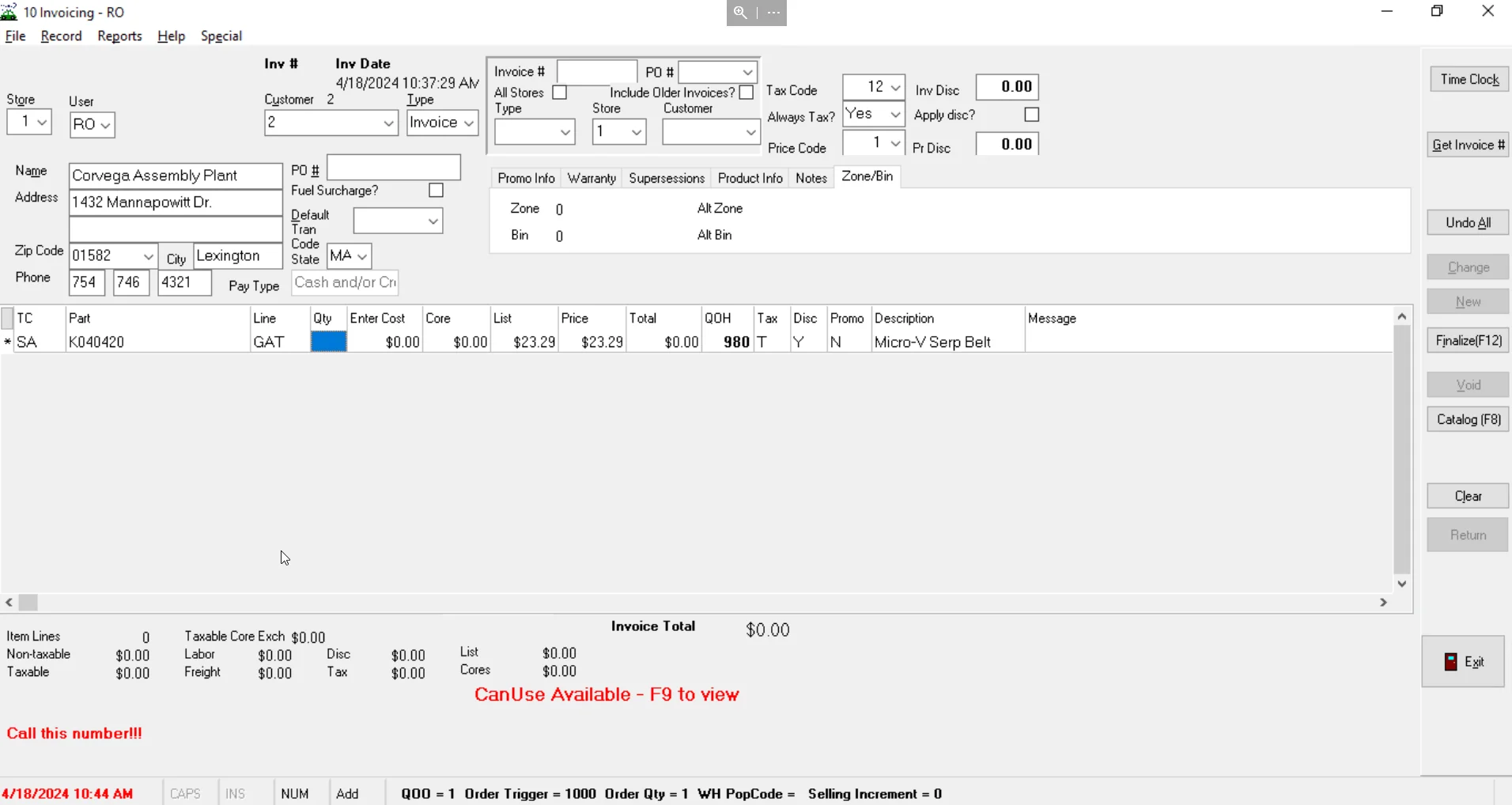
- Counter staff build multi-item, multi-vehicle orders while customers wait, and orders change mid-flow. The legacy system kept one order per window, so staff opened a new instance of the app for each customer and kept track from memory.
- My role
- Lead designer, end-to-end UX and UI, working with product, business, and engineering.
- Key decision
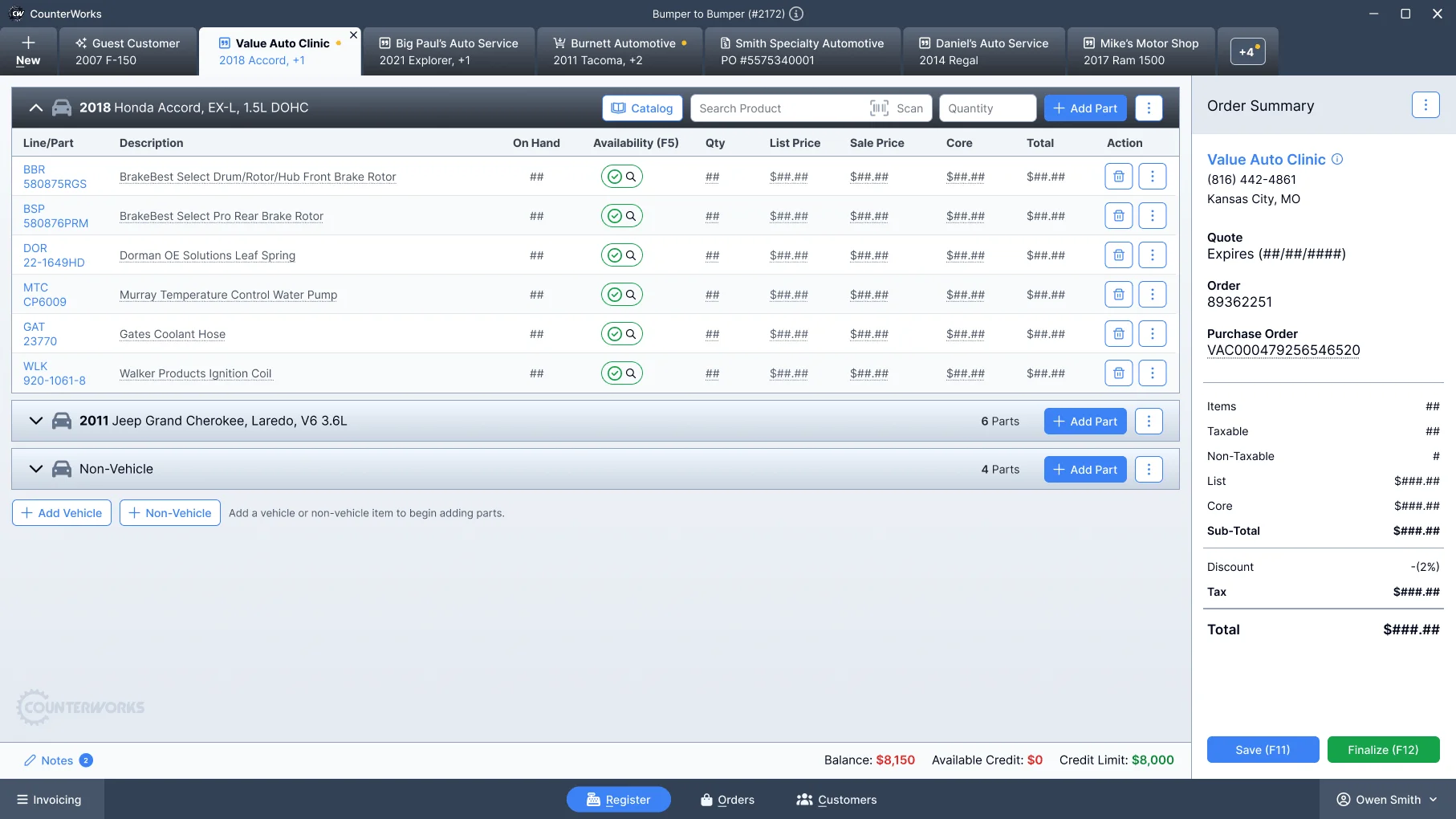
- Replace one app instance per customer with one workspace: each customer gets a tab, each tab can hold several vehicles, and switching never resets the work.
- Outcome
- Shipped as an Electron desktop application. After launch, staff reported less context switching and less reliance on memory and workarounds.
01
Firsthand observation
- Method
- Observation during live transactions
Before changing the interface, I spent time behind the counter watching parts specialists work during live transactions.
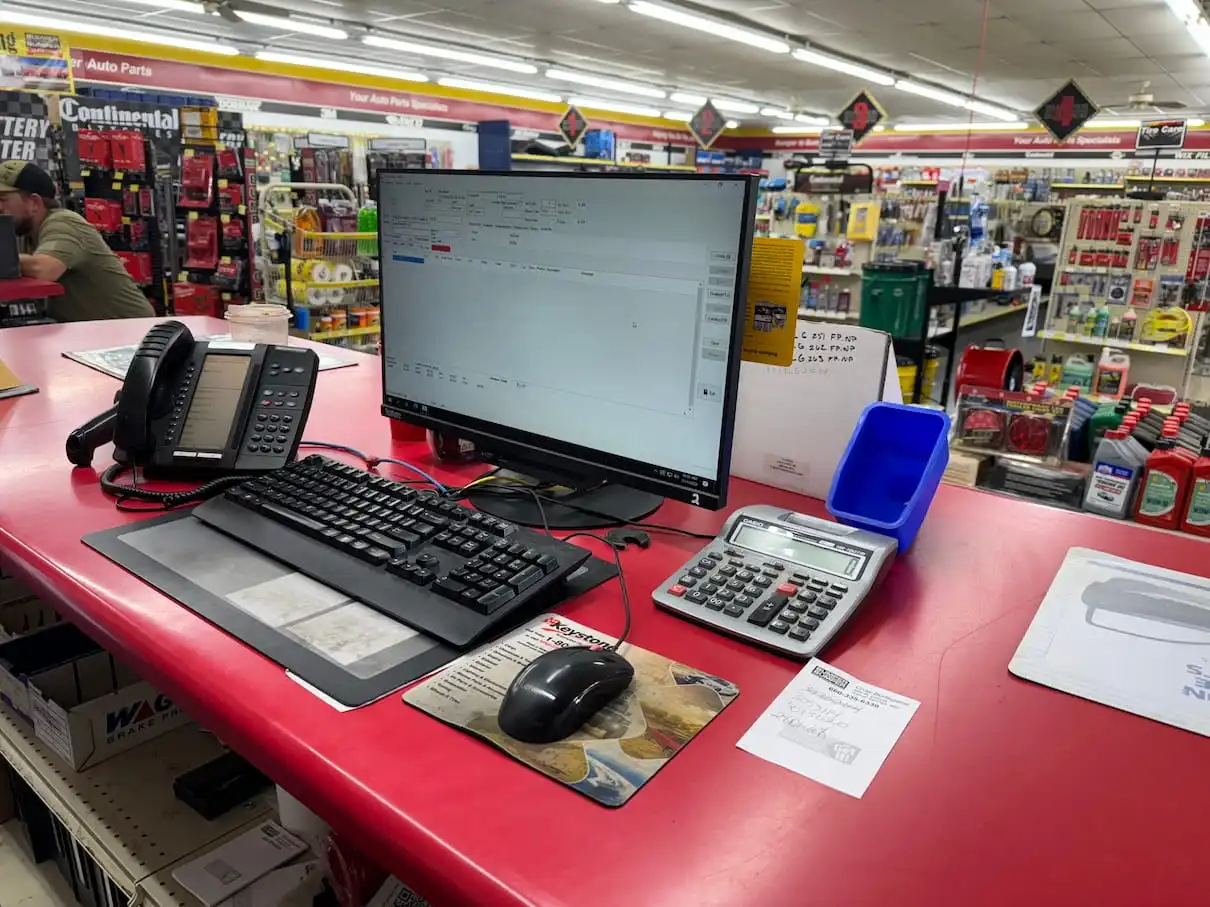
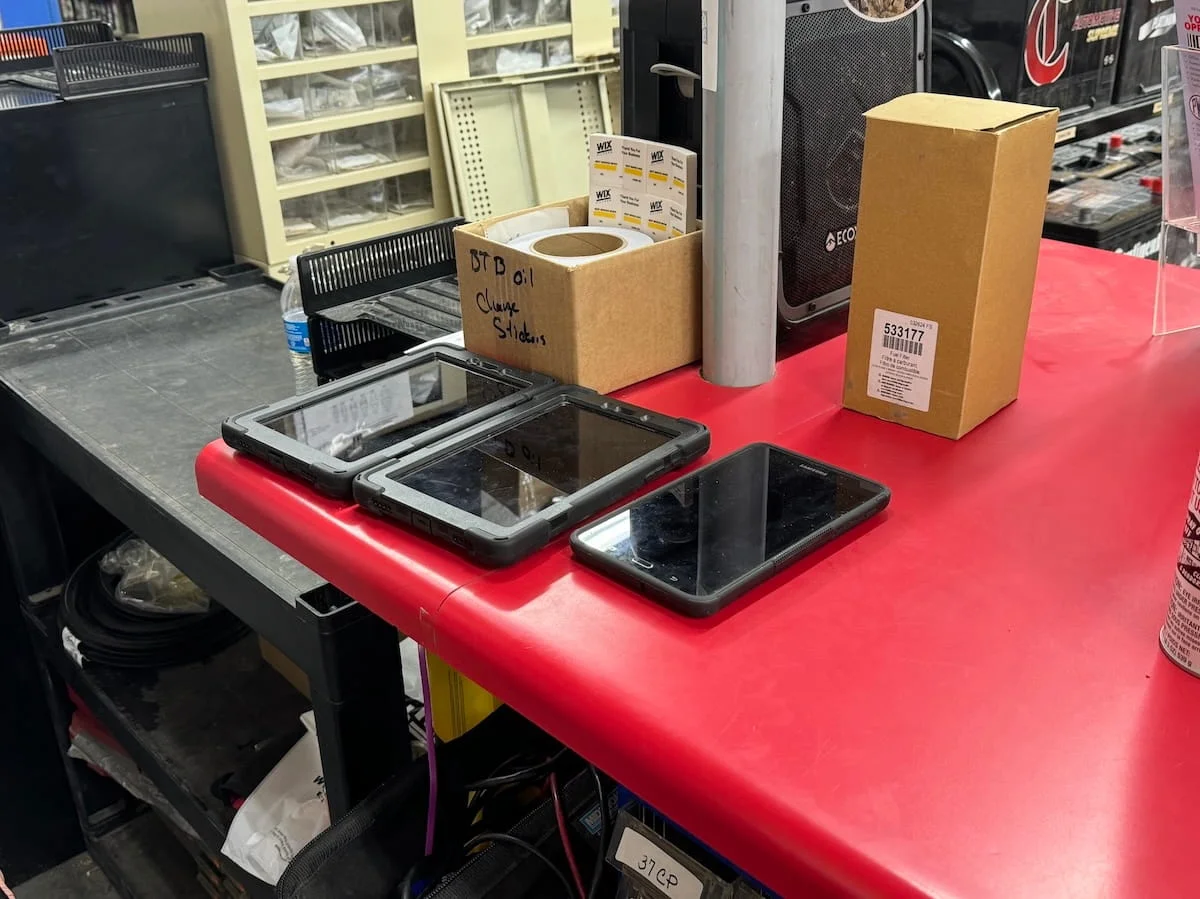
Orders rarely followed a straight line, conversations overlapped, interruptions were constant, and work was spread across memory, paper, handheld devices, and multiple terminals because the software couldn’t keep pace with the job. Staff opened a new instance of the application for each customer and switched between them.
I focused on how they built orders, when they paused or hesitated, where errors occurred, and how they handled pricing questions. A clear pattern emerged: employees worked around the system, developing habits to compensate for gaps in the interface. They needed software that matched how they already worked.
 , enlarge to full resolution
 , enlarge to full resolution
02
Parallel customer and order workflows
Most interactions happen while a customer is standing at the counter. Speed and accuracy both matter.
- Multi-item orders
- Multiple vehicles per customer
- Real-time inventory checks
- Pricing overrides and discounts
The software treated interruptions as exceptions. Counter work depends on interruptions. Mechanics called back. Commercial customers placed multiple orders. Parts needed verification. The interface forced specialists to rebuild context every time work changed direction.
What the observation showed
- Only one customer order could remain active at a time.
- Switching customers meant rebuilding context from memory.
- Catalog searches interrupted active work instead of supporting it.
Before · one app instance per customer
After · one window, a tab per customer
Before
 , enlarge to full resolution
After
 , enlarge to full resolution
03
Multi-tab interaction model
The turning point was reframing the experience from multiple windows into a single workspace.
Instead of opening a new instance of the app for each customer, each customer had their own tab within a single window. Counter staff could switch context instantly without losing their place, and a single customer tab could hold several vehicles, which matched how real orders and quotes actually worked.
Switching customers shouldn’t reset your work. It should feel like turning your head and looking at another order that’s already waiting.
Decision 01
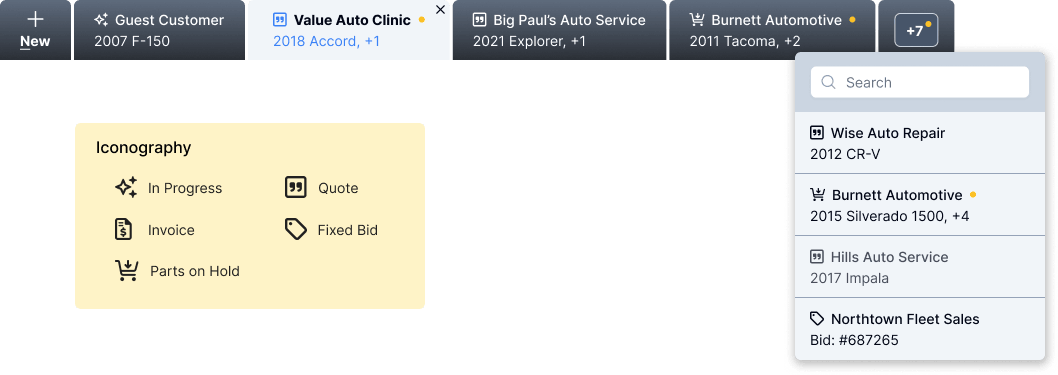
One window, a tab per customer
BecauseStaff were opening a new instance of the app for each customer and losing track of which window held whom.
Trade-offThe product, not the operating system, now has to manage many open orders at once.
 , enlarge to full resolution
Worked out in wireframes first
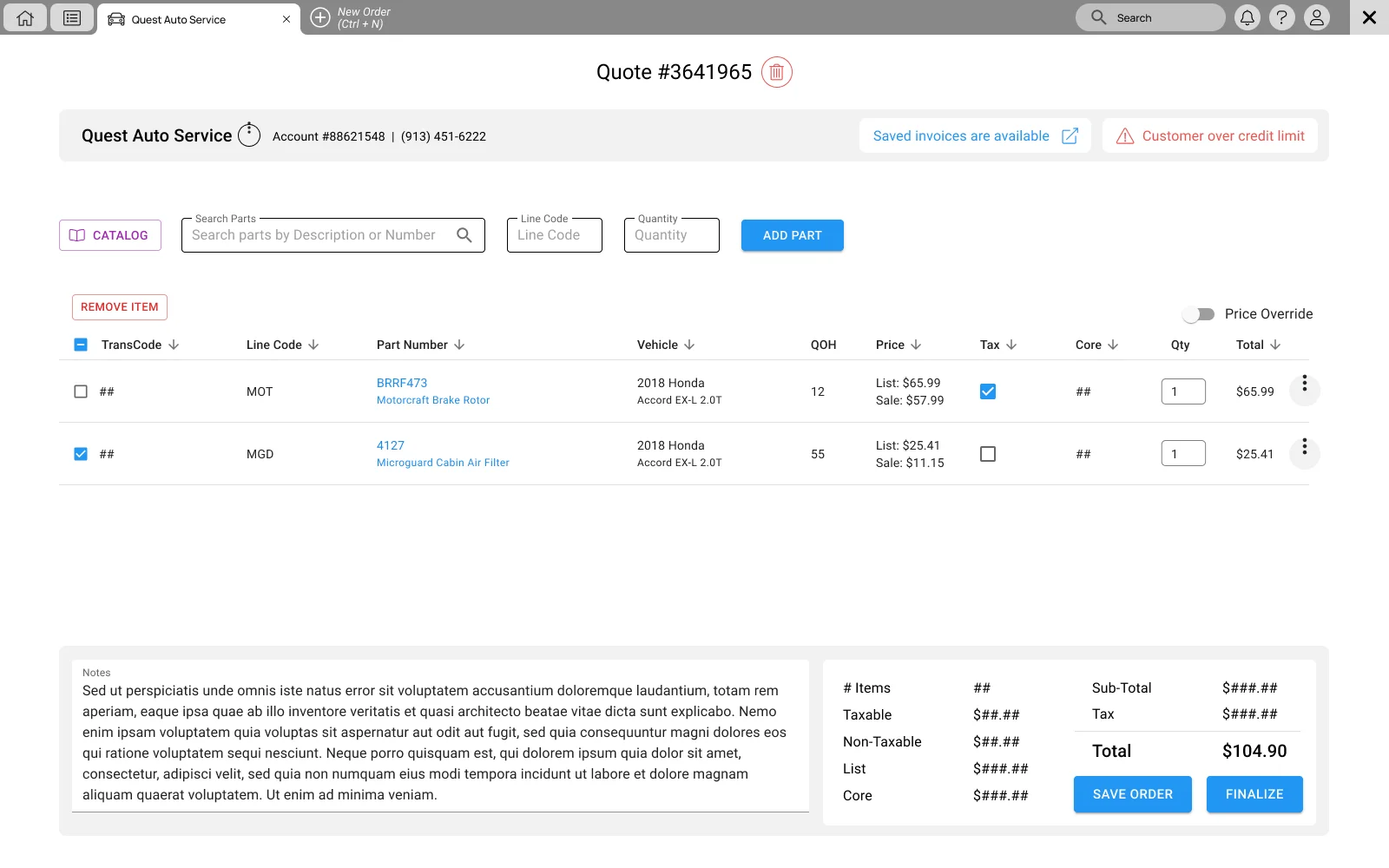
1An earlier direction
 , enlarge to full resolution
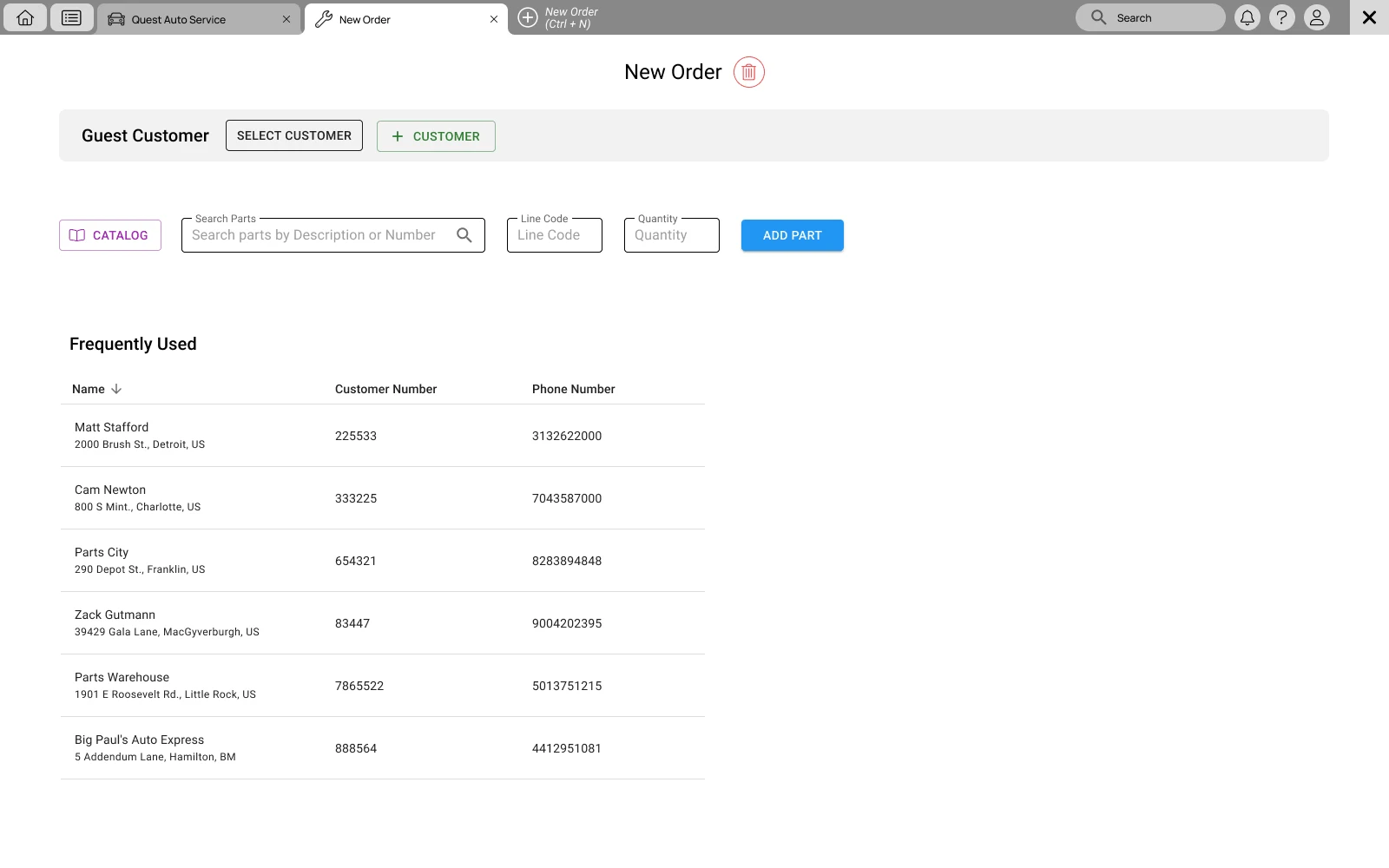
WireframeAn earlier concept explored browser-style tabs and a top utility bar. 2A new order beside the current one
 , enlarge to full resolution
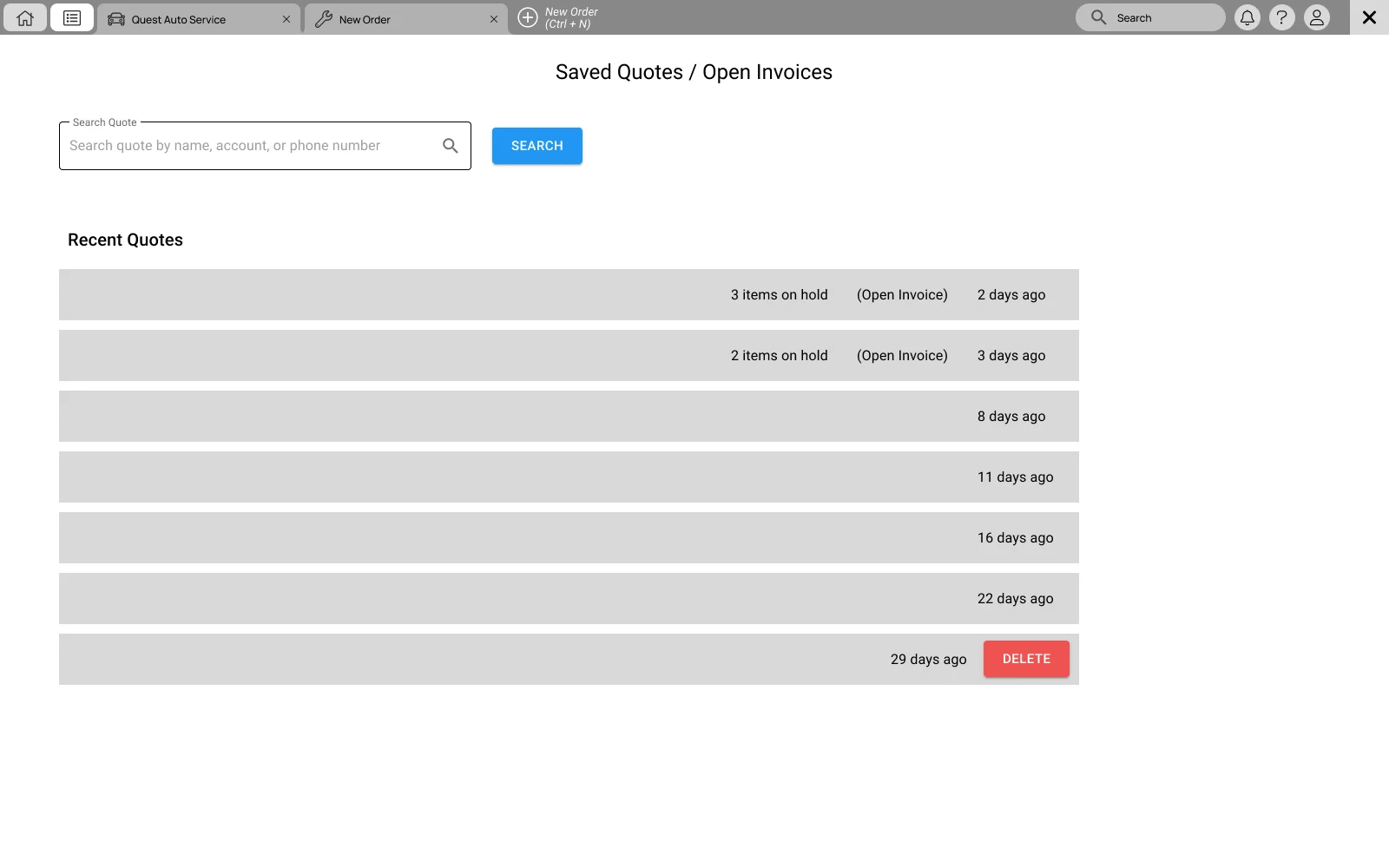
WireframeStarting another order without leaving the first: a New Order tab (Ctrl+N) opens beside the customer already in progress. 3Saved quotes and open invoices
 , enlarge to full resolution
WireframeSaved quotes and open invoices, reached from the same tab strip, with items on hold flagged in the list.
Decision 02
Several vehicles inside one customer tab
BecauseThat matched how real orders and quotes actually worked at the counter.
Trade-offOrders group line items by vehicle, so the order view has to keep each group scannable.
, enlarge to full resolution04
Redesigned orders experience
Once everything lived in one place, the rest of the experience could be simplified.
- Order details consolidated into one view to reduce context switching
- A clear pricing summary for fast verification
- Information structured to follow the natural flow of a transaction
- Fewer steps for common actions
- Progressive disclosure, consistent action placement, and inline feedback for pricing and changes
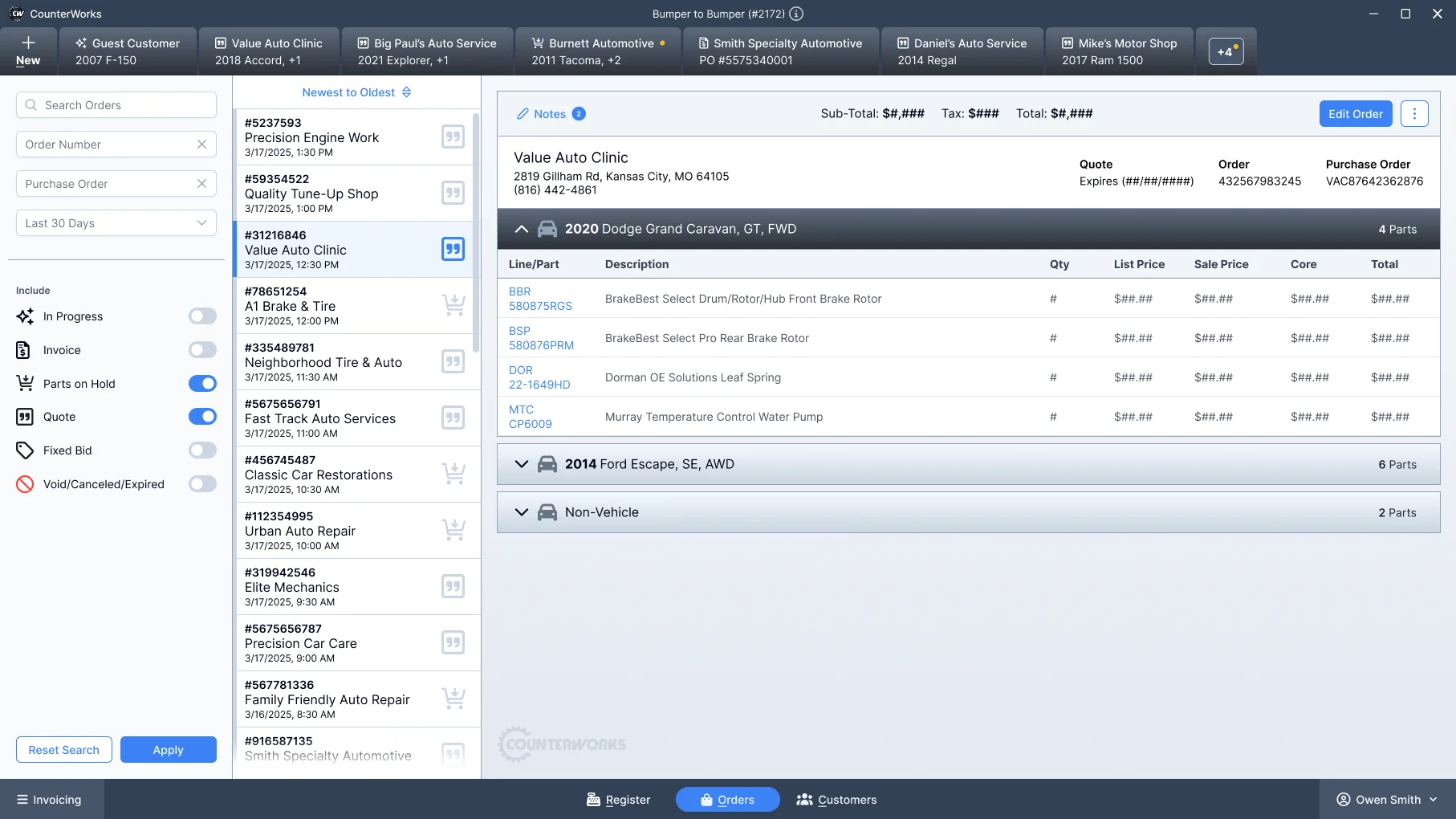
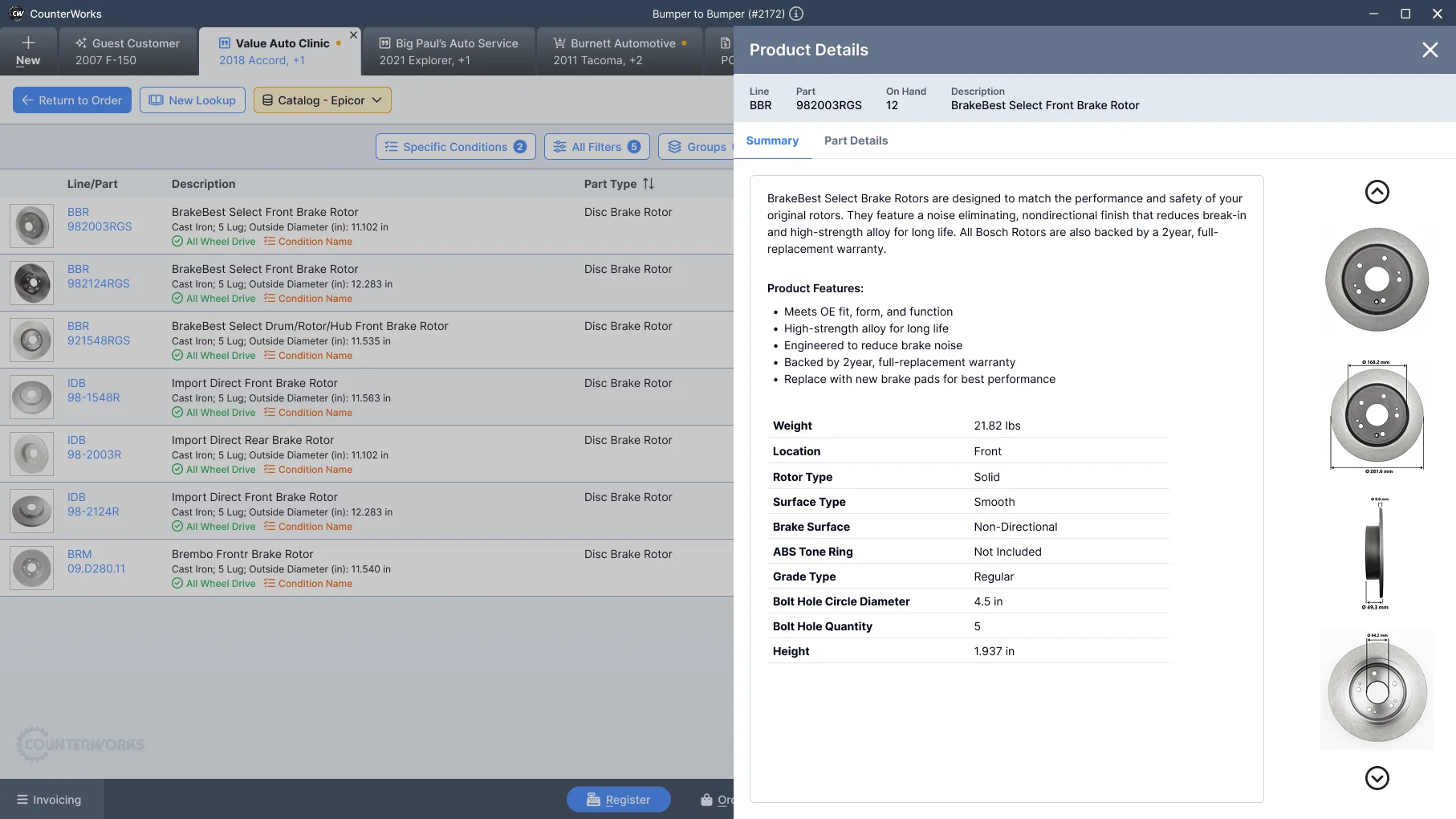
- Catalog search embedded in the customer’s tab, with side-by-side comparison and instant add-to-order
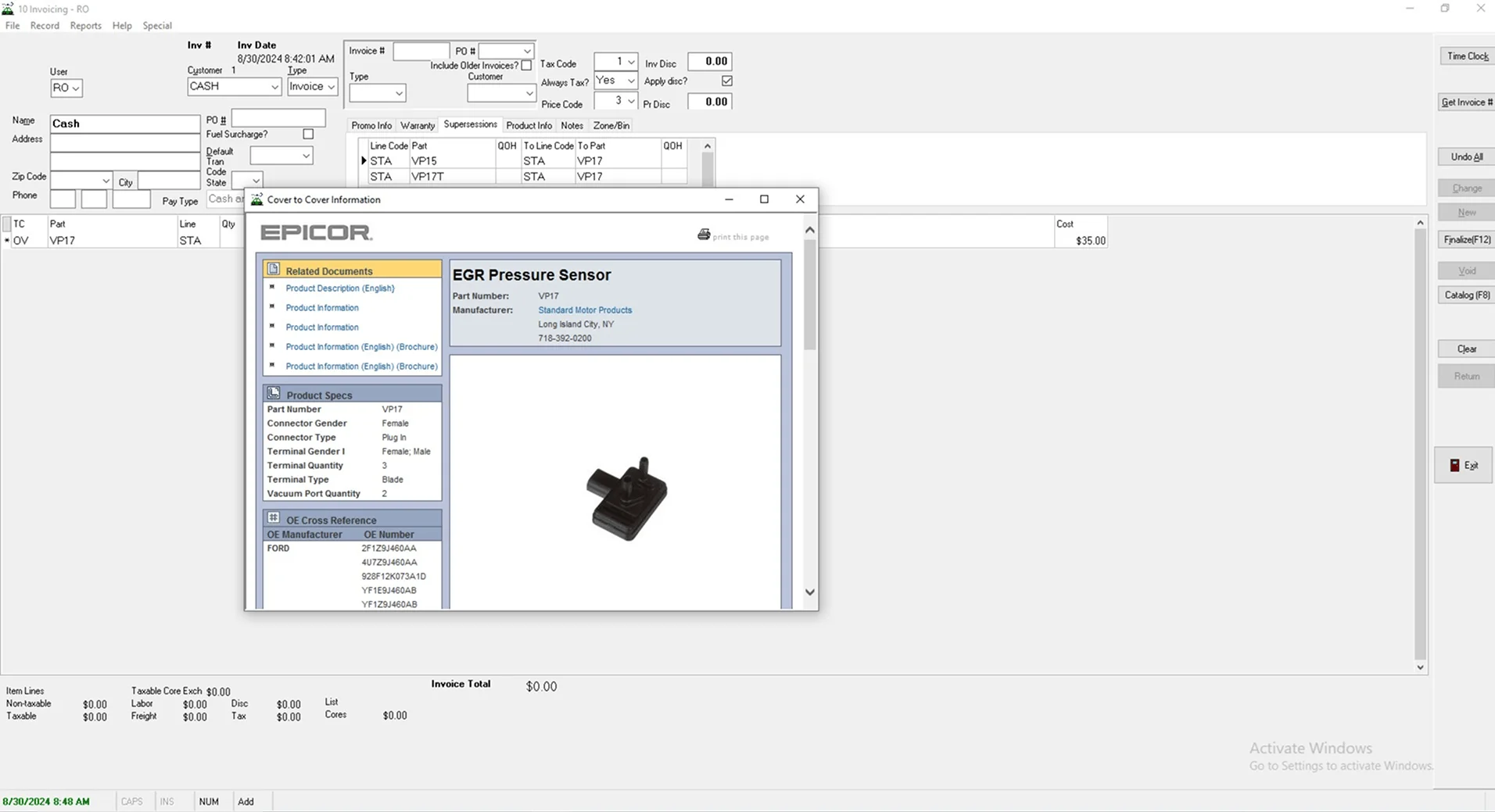
The catalog stopped being a separate tool and became part of the order itself: results appear in the same tab as the active customer, so search, filtering, comparison, and adding to the order happen without a window change or a mental reset.
 , enlarge to full resolution
Decision 03
The catalog lives in the active customer’s tab
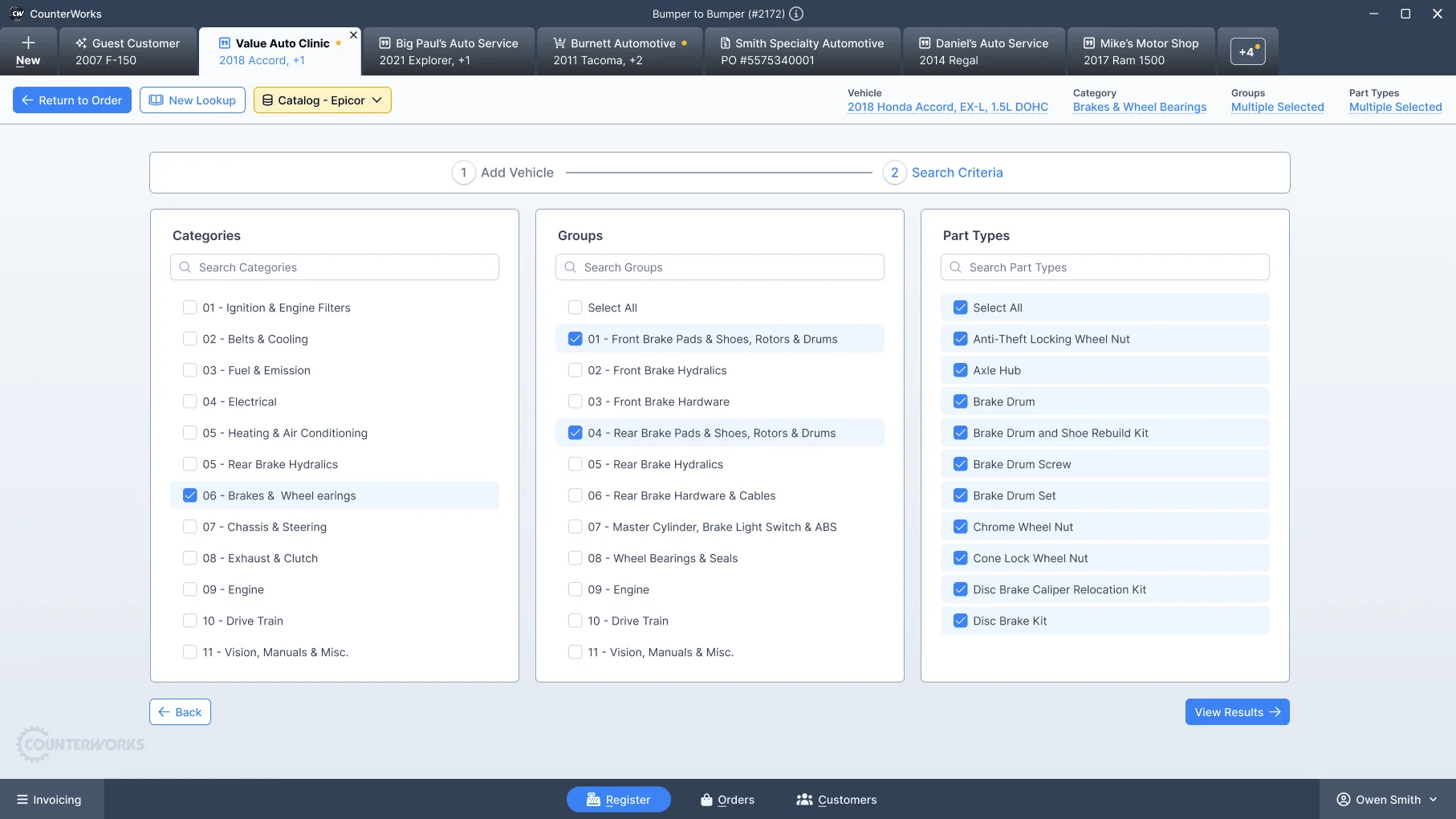
BecauseThe old catalog was a separate third-party window that pulled specialists away from the order.
Trade-offAdvanced fitment detail is deferred until it is needed, so the order stays primary.
 , enlarge to full resolution
Before
 , enlarge to full resolution
After
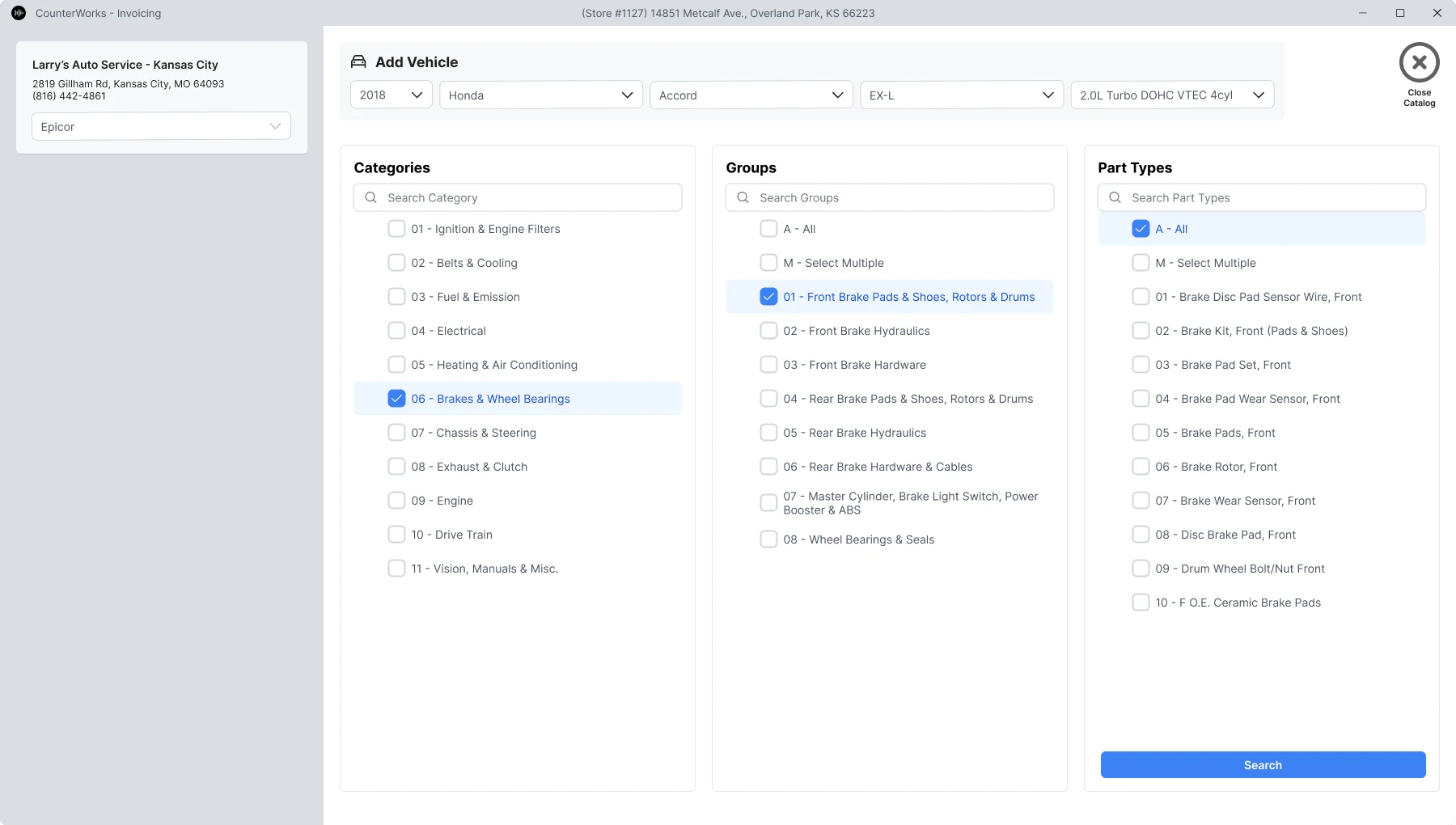
, enlarge to full resolution1Catalog search, in wireframe
 , enlarge to full resolution
WireframeThe catalog worked out in wireframe first: the vehicle stays at the top while categories, groups, and part types narrow the search. 2Catalog results, in wireframe
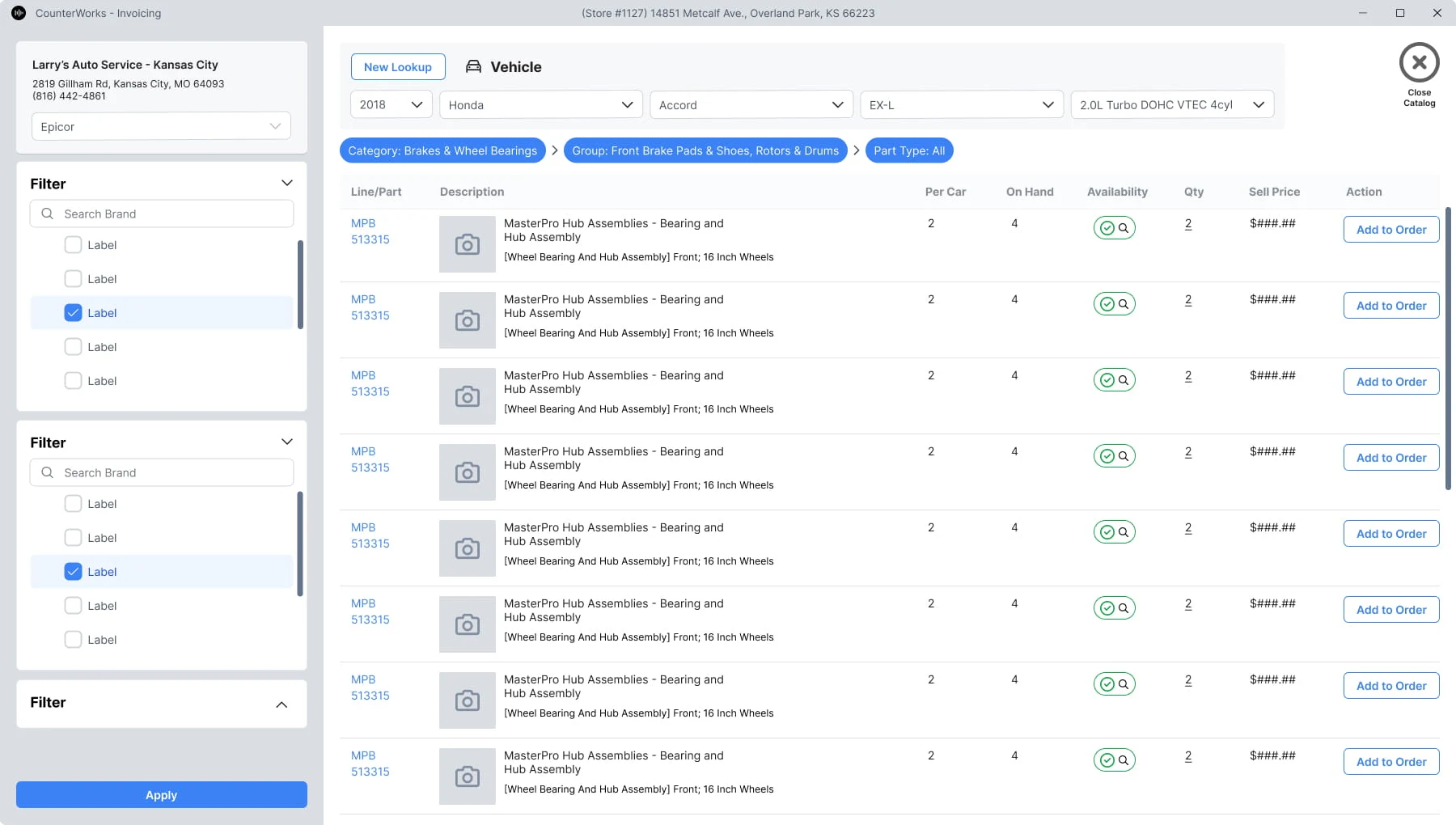 , enlarge to full resolution
WireframeResults with filters beside them and an add-to-order action on every row, so a part goes straight into the open order.
 , enlarge to full resolution
05
Shipped Electron application
The interface was built with Angular and PrimeNG components for faster development, consistency, and long-term maintainability, and delivered as an Electron desktop application.
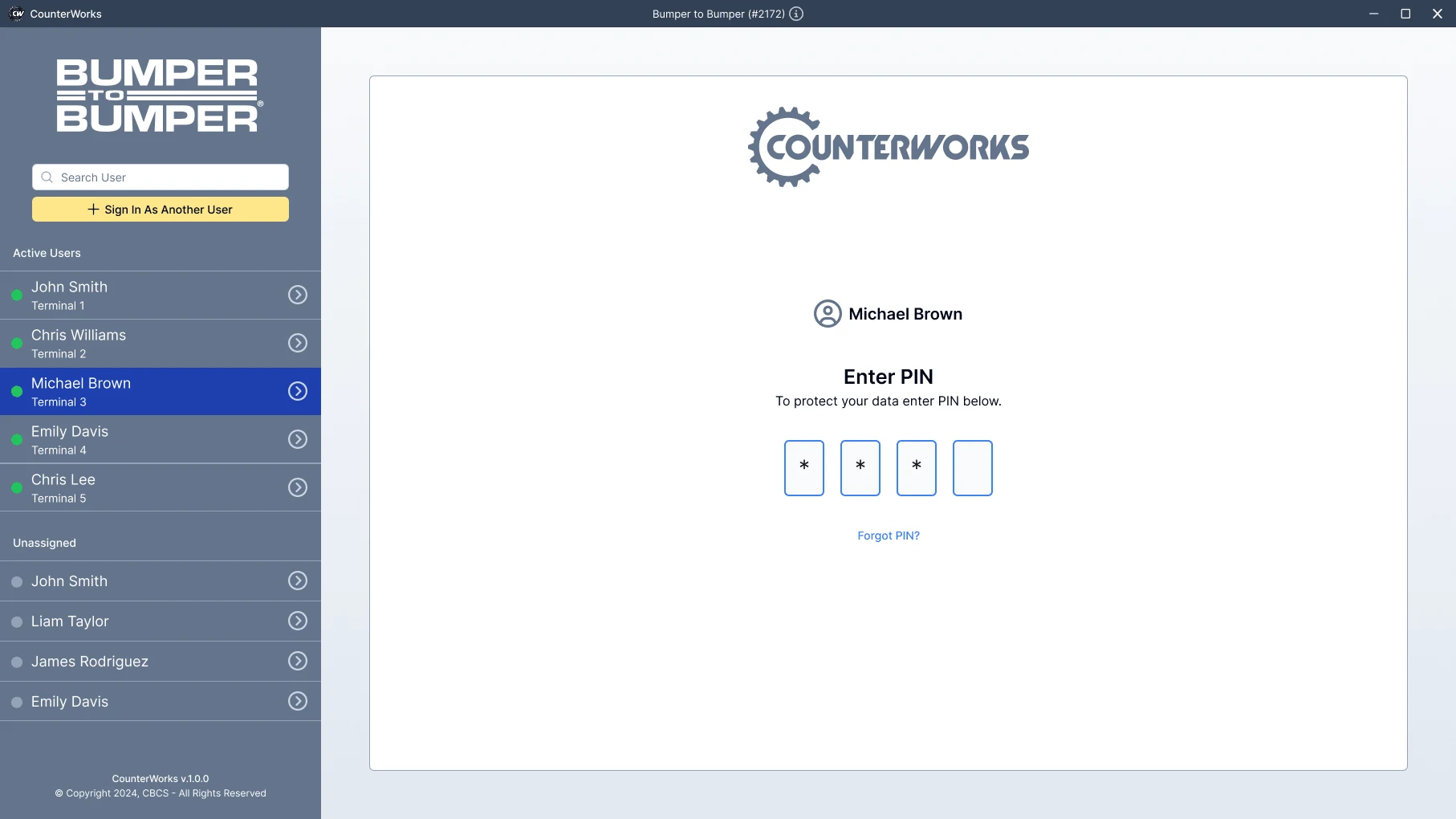
The integrated catalog launched as part of the new CounterWorks platform. Counter terminals are shared, so the shipped application starts with a sign-in that lists who is working at which terminal.
The screens show the store name Bumper to Bumper and a CBCS copyright line, as they appeared in the software, with sample customers and masked prices.
Try an interactive reconstructionRebuilt for this portfolio with sample data.
 , enlarge to full resolution
06
Outcome and feedback
- Faster order completion during peak hours
- Fewer pricing errors during checkout
- Less reliance on memory and workarounds
- More confidence for new employees
- Less context switching during parts lookup
“just felt like part of the system”
Looking back, the redesign was never really about tabs or multiple orders. It was about respecting the reality that experienced people rarely work in straight lines. Good software shouldn’t force someone to remember where they left off. It should remember for them.